

Top 5 Chrome Extensions Every Web Developer Should Use in 2026
Modern web development goes far beyond writing clean code - it now requires fast debugging, cross-device testing, accurate design checks, and efficient content analysis. Chrome extensions have become essential tools that streamline these tasks and help developers work smarter, not harder.
Below is a carefully selected list of five powerful extensions that can noticeably speed up your workflow - with a special focus on mobile optimization, UI work, and everyday productivity.
Phone Simulator – Mobile Emulator Tool
Best for: Mobile testing, responsive debugging, device previewing
One of the biggest challenges developers face is understanding how a website behaves on real mobile devices. Phone Simulator – Mobile Emulator Tool solves this instantly: it lets you view any webpage inside a realistic mobile frame, choose from dozens of popular devices, and evaluate layout shifts in real time. Unlike Chrome DevTools’ built-in emulator, Phone Simulator loads the page as a clean mobile view, making it easier to see scroll behavior, touch interactions, fonts, and breakpoints exactly as users experience them.
Many developers also use it during the design phase-quick checks of spacing, tap targets, navbar behavior, and mobile typography settings help detect issues before they reach QA. For content teams, it’s useful for previewing how headings, paragraphs, and product descriptions will appear “in hand.”
Key features developers love:
- Large device library: iPhone, Samsung, Pixel, tablets, and older models
- True mobile rendering (not just a resized desktop viewport)
- One-click switching between devices and orientations
- Perfect for quick QA without physical hardware
- Great for designers who want to preview spacing, readability, and UI hierarchy
- Works on any site - local or live
If your goal for 2026 is to improve mobile performance or reduce time spent switching between physical devices, this is arguably the most efficient tool you can add to Chrome.

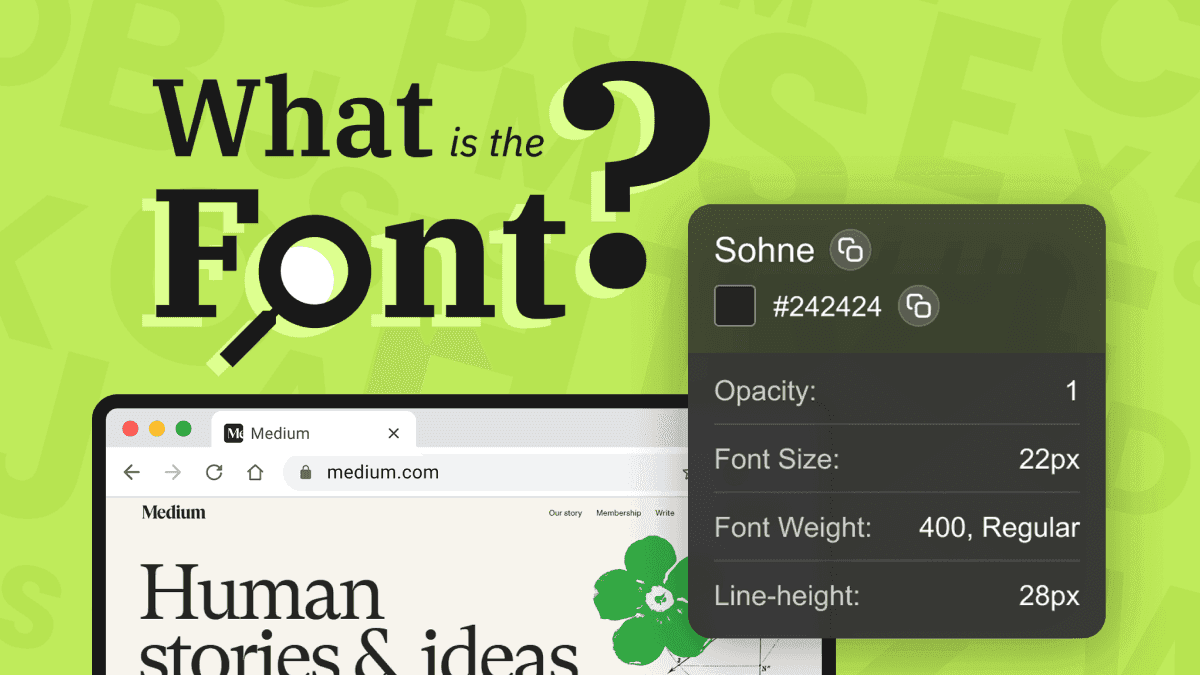
Identify Font - What Is the Font
Best for: UI/UX designers, typographic analysis, competitor research
Fonts define digital personality, and designers spend hours trying to figure out which typefaces competitors or inspiration sites are using. Identify Font - What Is the Font gives you an instant answer: hover over any text, click once, and the extension shows font family, weight, size, line height, and its color.
Why it’s incredibly useful:
- Detects any font directly from live CSS
- Shows full font styling: family, weight, size, spacing
- Helps rebuild UI components with 100% accuracy
- Great for brand audits and competitor analysis
- Perfect when working with designers who don’t provide full typography specs
- Much faster than screenshot-based “font guessing” tools
Because the tool uses precise CSS extraction, it’s more accurate than screenshot-based solutions. It’s especially handy when doing redesigns, building branding guidelines, or recreating UI components from competitor landing pages and web applications.
GoFullPage – Full Page Screenshot Tool
Best for: Documentation, QA reporting, archiving long pages
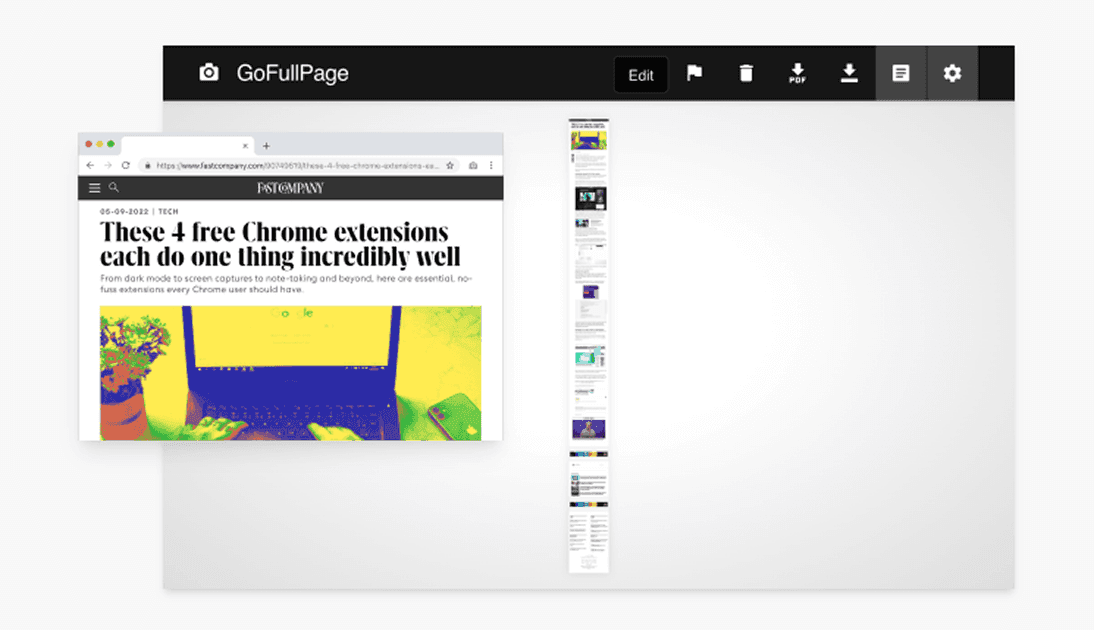
GoFullPage has become a classic for a reason. Many websites today include long-scrolling sections, animations, sticky headers, dynamic content, and other elements that are impossible to capture using standard screenshot shortcuts. GoFullPage scrolls the page automatically, stitches the captures without visible seams, and produces a high-resolution PNG or PDF.
Developers often use it for:
- Before/after comparisons during redesigns
- UI reviews with clients
- Bug reporting for long layouts
- Saving full mobile screenshots (when paired with Phone Simulator)
Even with modern built-in browser tools, GoFullPage remains one of the fastest ways to export a page exactly as it appears to users.
Color Picker by AdCreative
Best for: Designers, front-end developers, accessibility improvements
Color consistency is crucial across UI elements, and Color Picker provides a simple but powerful interface for working with brand palettes. With one click, you can pick any color on the screen, view its HEX/RGB/HSL values, save it, and build mini-palettes for your project.
What makes this extension especially useful for developers:
- It supports history, so you can revisit previously sampled colors
- It helps maintain accuracy when matching UI icons, gradients, or shadows
- It’s useful for quick accessibility checks (e.g., contrast adjustments)
It’s a lightweight tool but becomes indispensable for pixel-perfect front-end work.
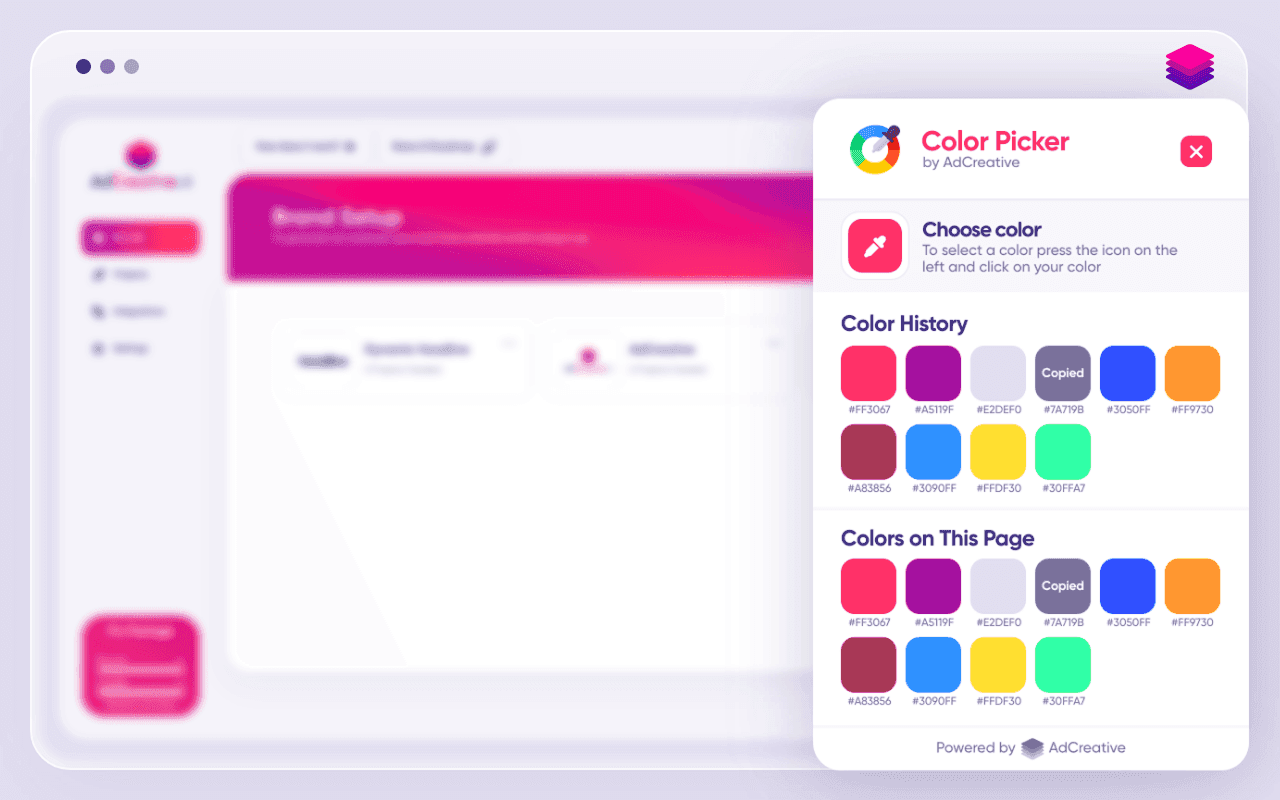
Image Downloader – Imageye
Best for: Asset collection, visual research, batch downloading
Whether you're gathering design references, preparing a mood board, or collecting assets for a landing page, Image Downloader - Imageye automates the process by extracting every image from a webpage. You can filter by size, type, or resolution, preview them, and download exactly what you need.
Developers and marketers use it to:
- Extract product images from catalogs
- Gather icons and UI elements for redesigns
- Save large galleries without manual right-clicking
- Quickly audit image weight for performance optimizations
It’s one of the simplest yet most powerful tools for working with visual content on the web.
Why These Tools Work Best Together
Each extension covers a different part of the web development lifecycle:
- Phone Simulator → Mobile behavior & responsiveness
- Identify Font → Typography accuracy
- GoFullPage → Documentation & reporting
- Color Picker → UI consistency
- Image Downloader → Asset management
When combined, they create a complete workflow: from checking mobile layouts to analyzing fonts, capturing full pages, picking correct colors, and collecting images. Most importantly, if mobile traffic matters for your project - and in 2026 it certainly does - Phone Simulator is the cornerstone that ensures your website feels fast, polished, and trustworthy on every device.
Frequently Asked Questions
What are the best Chrome extensions for web developers in 2026?
The best Chrome extensions for web developers in 2026 include Phone Simulator, Identify Font, GoFullPage, Color Picker, and Image Downloader for mobile testing, UI work, and productivity.
Which Chrome extension is best for mobile website testing?
Phone Simulator – Mobile Emulator Tool is one of the best extensions for mobile testing, allowing developers to preview real device viewports and responsive layouts instantly.
How can I preview my website on mobile devices without real phones?
You can use a mobile emulator Chrome extension that simulates real device viewports, pixel ratios, and orientations directly inside your browser.
Are Chrome extensions useful for mobile-first web development?
Yes. Chrome extensions like mobile simulators, font inspectors, and color pickers significantly speed up mobile-first design and testing workflows.
Do developers still need Chrome DevTools if they use extensions?
Yes. Extensions complement Chrome DevTools by providing faster previews, easier UI inspection, and workflow-focused tools.
Why is mobile testing critical for websites in 2026?
With most traffic coming from mobile devices, testing mobile layouts ensures better user experience, higher conversions, and stronger SEO performance.
Install Phone Simulator Today
Join thousands of developers and designers who test their sites on real devices for free.
- Free
- 30,000+ users
Read More About Mobile Testing & UX

How to Run an Android Emulator in Chrome
A lightweight Android emulator in Chrome previews your site on real Android device sizes — no Android Studio needed. Here's how to run one and what to check.
Read more
How to View Mobile Version of Website on Chrome
See how to view the mobile version of any website directly in Chrome — using built-in DevTools and a free device-simulator extension that shows a realistic phone frame.
Read more

Why Your Website Should Load in Under 2 Seconds on Mobile - Backed by 2025–2026 Data
This guide explains why 2 seconds became the standard, what current data tells us about mobile performance, and how to hit that target consistently across devices and networks.
Read more